

Kraken is one of the longest-running crypto exchanges on the market, but longevity alone does not guarantee safety or a great user experience. In this Kraken review, we share our hands-on findings after testing the exchange, the mobile app, and its advanced trading tools across multiple devices. We will walk you through what Kraken is, who it is best suited for, and how its spot, margin, and derivatives markets stack up against other major platforms. Along the way, we will highlight our experience with the Kraken crypto app, from opening an account and placing orders to exploring advanced features like staking and automated trading.
Because security is a top concern, a large part of this review focuses on how Kraken safeguards client funds and data. We will examine its track record, on-chain and off-chain protections, and what practical safeguards you get as a retail trader or long-term holder. Finally, we will break down Kraken fees, ease of use for beginners, how it compares to rival exchanges, and share a simple step-by-step guide to getting started. By the end of this Kraken crypto exchange review, you should have a clear idea whether Kraken is a good crypto exchange for your own trading style and risk tolerance.
What is Kraken Exchange?
Kraken is a centralized cryptocurrency exchange operated by Payward, Inc., founded in 2011 and headquartered in San Francisco, California. It is one of the longest-running global exchanges and has grown into a multi-asset trading platform serving millions of clients worldwide. At its core, Kraken focuses on spot crypto trading but now also supports margin trading, regulated derivatives, staking, and even tokenized equities and certain stocks and ETFs in eligible regions. This broad product mix means our Kraken review applies to both pure crypto traders and users who want a single hub for multiple asset classes.
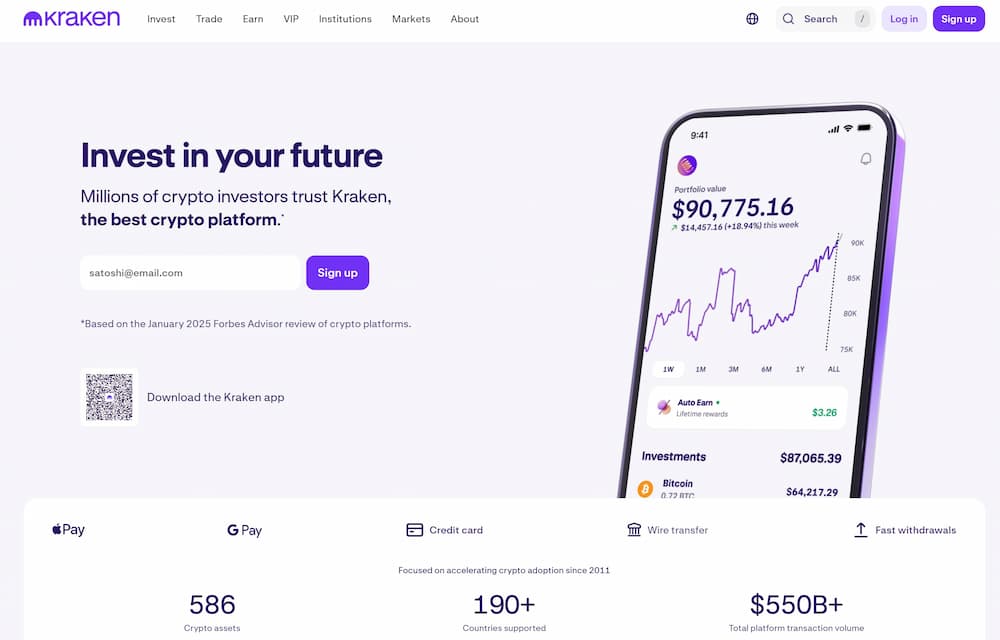
From a user perspective, Kraken offers a standard interface for beginners and a more advanced Kraken Pro platform for active traders, both available on desktop and mobile apps. In our Kraken crypto exchange review, we found the app-centric design makes it relatively straightforward to move between spot, margin, and futures markets without feeling overwhelmed. Overall, Kraken is a fully centralized, custodial exchange that emphasizes regulation, security, and deep liquidity rather than being a DeFi-style, non-custodial protocol. In our testing, this combination of long operating history, broad licensing footprint, and institutional-grade tooling is a key reason many users ask, “Is Kraken legit, and is Kraken a good crypto exchange for the long term?” – questions we will unpack throughout the rest of this review.
Kraken Crypto App Pros and Cons
Kraken’s mobile and desktop apps felt solid and reliable in our testing, with a clear focus on security, compliance, and deep liquidity rather than flashy gamification. That said, our Kraken crypto exchange review also found trade-offs around fees on smaller orders and a learning curve for some advanced tools. Below is a quick snapshot of the main strengths and weaknesses we observed while using the Kraken crypto app day to day.
Kraken Exchange Key Features
In our hands-on Kraken review, the platform stood out as a multi-product ecosystem rather than a simple spot exchange. You get spot trading, margin, futures, staking, and even commission-free stock and ETF trading in certain regions, all accessible through the same Kraken and Kraken Pro apps.
Spot trading and supported assets
Kraken supports more than 450 digital assets and over 800 trading pairs, covering large-caps like BTC and ETH, major altcoins, DeFi tokens, and a growing list of newer projects. This broad coverage makes it easy to build and rebalance a diversified portfolio from a single account.
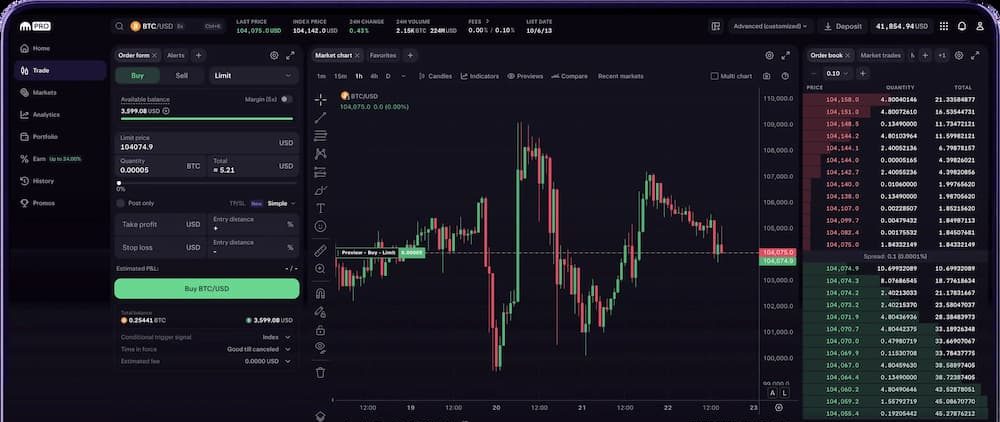
In our Kraken crypto exchange review, we liked how quickly markets loaded and how tight the spreads were on the most liquid pairs. The downside is that some tokens and fiat pairs are region-restricted, so the exact asset list you see in the app can vary depending on your country.
Margin, perps and regulated futures
Beyond spot, Kraken offers margin trading with up to 5x leverage on selected pairs, plus a deep derivatives stack that includes perpetual futures (“perps”) and other contracts. For many non-US clients, Kraken Pro gives access to dozens of perpetual and fixed-term futures markets with moderate leverage and multi-collateral wallets.
In the US, Kraken Derivatives US now provides CFTC-regulated futures and options via recent acquisitions, which ranks it among the stronger crypto futures trading platforms for US-based traders who care about trading within a supervised framework.
The trade-off is that leverage limits are more conservative than on high-risk competitors advertising 100x+ or 125x, which some advanced traders might see as a limitation but most retail users will see as a safety feature.
Note that Kraken does not currently support a dedicated “Hedge Mode” where you can hold long and short on the exact same contract in parallel. You can still hedge effectively by combining spot and futures positions, but this setup is slightly less flexible than exchanges that offer full dual-side position modes.
Staking and Kraken Earn
Staking and yield products are a core part of the Kraken app today. Through Kraken Earn and staking, you can delegate assets like ETH, DOT, ADA, FLOW, and even BTC and EUR to earn variable APRs that, at the time of writing, can reach double-digit yields on some proof-of-stake coins. Rewards are typically paid out weekly and can be managed directly in the app.
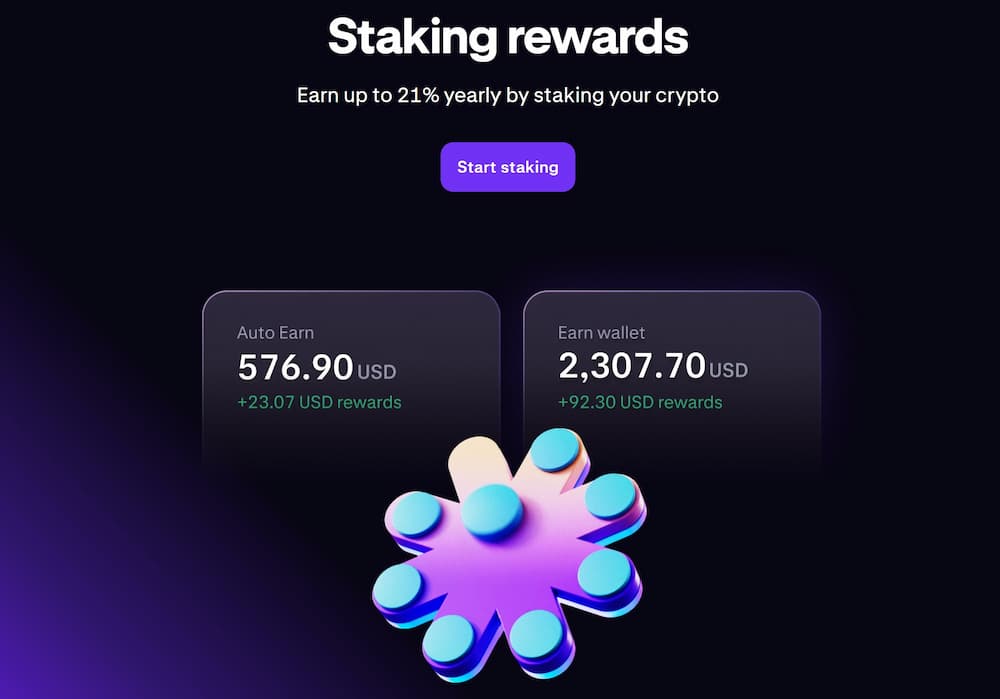
In our testing, the “set-and-forget” experience is one of the strongest aspects of Kraken Earn – you activate rewards, and the app handles bonding, staking, and payouts in the background. The flip side, and something we will revisit when we discuss “is Kraken Earn safe,” is that staking is not risk-free and can be subject to slashing, token price volatility, and changing regulations, especially in the US where services have recently been paused and then selectively restarted under tighter rules.
Mobile-first app experience
The current Kraken and Kraken Pro apps are clearly designed mobile-first. In our Kraken crypto app review, we found navigation between buying, spot trading, staking, and derivatives to be smooth, with advanced widgets like depth charts, order books, and multiple chart layouts available in the Pro interface.
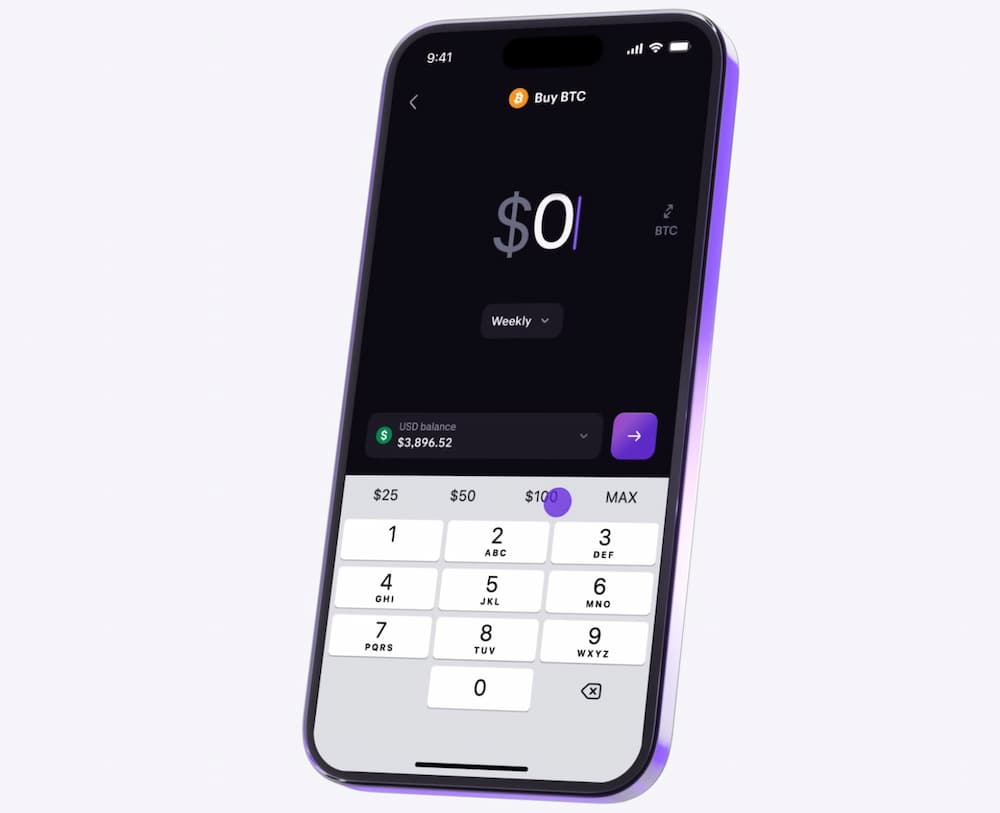
We also appreciated the integrated experience: you can fund your account, place spot and futures trades, adjust open orders, and manage Earn positions from one place, without constantly switching platforms. The trade-off is that the sheer number of tabs and options can feel busy for absolute beginners, so there is a short learning curve before the layout becomes intuitive.
Market analysis and automation tools
Kraken Pro includes a surprisingly rich toolkit for technical traders. You get advanced charting with multiple indicators, a technical analysis (TA) scanner widget, detailed order books, and custom layouts, which we found more than sufficient for most day-to-day crypto strategies.
For automation, Kraken’s own ecosystem focuses on recurring buys, advanced order types, and education around AI and algorithmic trading rather than full social copy trading inside the app. If you want fully automated bots or copy trading, you typically connect Kraken to third-party platforms via API keys, which adds flexibility but also some extra setup complexity and risk management considerations.
Kraken Crypto Exchange Security
Kraken has built a reputation as one of the more security-focused centralized exchanges, with a long operating history and no recorded incident where customers permanently lost funds due to a platform breach.
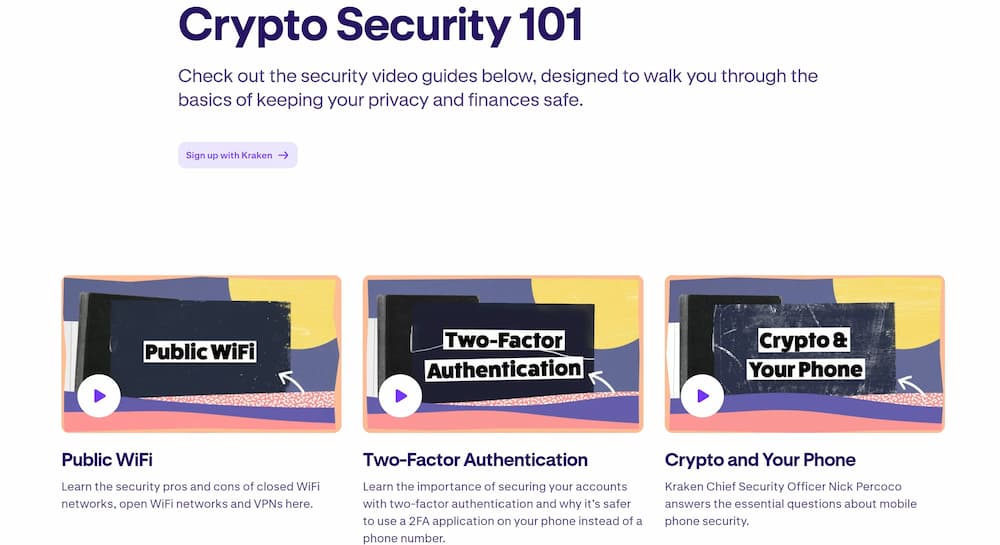
From our perspective, the key question in any Kraken review is not just “is Kraken legit” but how it actually manages custody, handles incidents, and protects individual accounts. Below, we break down Kraken’s security record, infrastructure, account protections, and KYC/AML controls.
Kraken’s security track record
Kraken has operated since 2011 and, according to independent reviews and its own disclosures, has never suffered a major hack that resulted in loss of customer funds.
That said, the platform is not immune to vulnerabilities. In June 2024, security researchers exploited a critical zero-day bug to withdraw roughly $3 million from Kraken’s own funds and then refused to return the money. Kraken disclosed the incident publicly and stated that client balances were not affected, coordinating with law enforcement to pursue the matter.
In our view, this history paints a realistic picture: Kraken has faced serious threats like most major exchanges, but it has so far avoided catastrophic customer losses and is generally regarded by security analysts as one of the stronger players from a defensive engineering standpoint.
Custody, infrastructure and proof of reserves
On the custody side, Kraken keeps the vast majority of client crypto in offline cold storage, similar to how the most secure crypto wallets operate, with only a small portion held in hot wallets to service day-to-day withdrawals. Its infrastructure is housed in secure facilities with 24/7 monitoring and layered physical security controls.
Kraken also runs regular third-party Proof of Reserves audits. These cryptographic audits allow you to verify that your in-scope balances on the exchange are fully backed by assets held in Kraken’s custody at the time of the review, which adds transparency beyond what many traditional brokers offer.
From an information-security standpoint, sensitive data is encrypted at rest at both the system and data levels. Kraken reports ISO/IEC 27001:2022 certification and completion of a SOC 2 Type 1 examination, which signals that its security controls have undergone independent assessment.
Account-level protections and anti-fraud tools
At the user level, Kraken provides several tools that we found important in practice. You can enable two-factor authentication (2FA) for sign-in and trading, manage and revoke device sessions, and whitelist withdrawal addresses so funds can only be sent to pre-approved wallets.
A standout feature in our testing is the Global Settings Lock (GSL). Once activated, GSL prevents critical changes (such as modifying 2FA or adding new withdrawal addresses) for a defined cooling-off period, even if an attacker somehow compromises your password and 2FA. It effectively acts as a “last line of defense” to stop rapid account takeovers.
Kraken also offers extensive security documentation and education, guiding users through best practices for hardening their accounts. In our experience, the combination of platform-level controls and user-facing tools makes it easier to build a robust security setup than on many smaller exchanges.
KYC, AML and compliance controls
Like other major centralized exchanges, Kraken operates under strict know-your-customer (KYC) and anti-money-laundering (AML) rules. If you prefer to trade without identity verification, you’ll need to look at no KYC crypto exchanges instead, though these come with their own trade-offs around regulation and insurance.
To actually trade, deposit, or withdraw beyond very limited levels, you must complete identity verification by submitting personal information and documents, similar to opening a bank account.
Kraken explicitly states that it verifies client identities and performs KYC checks to protect the platform against fraud, money laundering, and terrorist financing, and uses dedicated AML due-diligence questionnaires for higher-risk business categories.
Practically, your verification tier determines how much you can deposit, withdraw, and trade, as well as which products you can access. In our Kraken crypto exchange safety review, we see these controls as a trade-off: you give up some anonymity, but you gain a platform that aligns with regulators and financial partners, which can reduce the risk of sudden shutdowns or frozen banking rails.
Overall, based on our testing and external research, we regard Kraken as a strong option for security-conscious users. However, as with any custodial exchange, you still carry counterparty risk, so it is sensible to use 2FA, enable GSL and withdrawal whitelists, and avoid storing more funds on the platform than you are comfortable with.
Kraken Crypto Fees
Kraken uses a two-layer fee structure. The core Kraken app charges a simple flat fee for instant buys, while Kraken Pro uses a classic maker-taker schedule with discounts based on your 30-day trading volume. In our Kraken review, we found the instant buy route convenient but relatively expensive, while Kraken Pro offers much more competitive fees for anyone trading regularly.
For basic “Buy/Sell/Convert” orders on the Kraken app, you pay a fixed 1% trading fee plus a spread and any card or payment-rail costs. Kraken+ subscribers can reduce this to 0% trading fees on up to $10,000 of monthly volume, but spreads and payment fees still apply.
By contrast, Kraken Pro starts spot trading at 0.25% maker / 0.40% taker for accounts under $10,000 in 30-day volume, with fees stepping down as your volume increases and on certain stablecoin pairs. At very high tiers, maker fees can drop to 0.00% with taker fees around 0.05-0.10%.
On a $1,000 trade, that means roughly $10 in fees via instant buy (before card costs) versus $2.50-$4.00 on Kraken Pro, which is a big difference over time for active traders.
Spot and margin trading fees
For casual users who just want quick exposure, Kraken’s flat 1% fee on instant buys is simple but not cheap, especially once you factor in spreads and card fees. In our Kraken crypto exchange review, we think this path suits small, occasional purchases but becomes costly if you trade often.
Kraken Pro is where Kraken fees become genuinely competitive. Most beginners who switch to Pro will start at 0.25% maker and 0.40% taker, with the rate automatically dropping as your 30-day volume crosses thresholds like $10,000, $50,000, and $100,000. For active traders, this puts Kraken in the same low-fee bracket as other pro-level venues while keeping a regulated, security-first setup.
Margin trades on Kraken incur an extra opening fee and ongoing interest on top of the normal maker-taker fee. For most assets, the opening fee ranges from about 0.02% to 0.04% and the rollover (interest) charge is another 0.02-0.04% every four hours, while BTC margin rates are slightly lower at 0.01-0.02%. In practice, this makes leverage affordable for short-term trades but something you need to monitor if you hold positions for weeks.
Futures and perpetuals fees
Kraken’s derivatives fees are generally lower than its spot fees. For most standard futures contracts, entry-level Kraken Pro fees start around 0.02% maker and 0.05% taker, then decline as your 30-day derivatives volume grows, with top-tier traders paying close to zero or even earning small maker rebates.
More recently, Kraken added “perps” within the main app, where you pay 0.25% of the notional value to open and another 0.25% to close the trade. For traders seeking even higher leverage options, check out our guide to the best crypto leverage trading platforms to compare Kraken’s offerings with other high-performance venues.
That is simple and predictable, but more expensive than the Pro futures schedule, so in our view it is best suited to smaller, occasional perp trades rather than heavy day trading.
Deposit, withdrawal and non-trading fees
For funding, most crypto deposits to Kraken are free, with a few exceptions on specific assets. Fiat deposits via SEPA, wire, or ACH are typically low-cost or free, though exact options depend on your country and banking method.
Withdrawal fees are where costs vary the most. Fiat withdrawals usually fall in a $0-$35 range depending on the rail: for example, SEPA transfers can be as low as about €0.09, while some international SWIFT withdrawals are closer to $35. Crypto withdrawals follow asset-level schedules, such as 0.000150 BTC or 0.0017 ETH at the time of writing, which is broadly in line with other major exchanges.
A nice plus in this Kraken review is that there are no fees for storing funds, no account maintenance charge, and no inactivity fee. That makes Kraken more forgiving for long-term holders who park assets and trade only occasionally.
How Kraken fees compare to competitors
For instant buys, Kraken’s flat 1% trading fee is actually cheaper than Gemini’s roughly 1.49% transaction fee plus up to 1% convenience fee, and it is broadly competitive with Coinbase’s card-based instant purchase costs. For small “tap to buy” trades, Kraken is still not cheap, but it tends to be more transparent and slightly less punishing than some US rivals.
On the pro side, Kraken Pro’s 0.25% maker / 0.40% taker entry tier is lower than Coinbase Advanced’s typical 0.40% maker / 0.60% taker worst tier and undercuts Gemini’s advanced schedule as well. High-volume traders who reach the 0.00-0.10% Pro tiers are paying fees that are competitive with low-cost global platforms like Binance, Bybit, and OKX, even if those offshore exchanges can sometimes edge Kraken on headline rates. To see how Kraken stacks up against other top platforms, explore our comprehensive best crypto exchange comparison.
Overall, our verdict on Kraken fees is that they are:
- Expensive if you only ever use instant buy on the main app.
- Competitive to very strong once you switch to Kraken Pro for spot, margin, and futures.
- Fair on deposits and withdrawals, with no hidden inactivity or storage costs.
For cost-conscious users, the best strategy is to fund via low-fee bank transfer where possible and place trades on Kraken Pro rather than relying on the 1% instant-buy feature.
Is Kraken Trading Platform Easy To Use?
In our experience, Kraken strikes a balance between being accessible for beginners and powerful enough for active traders. The main Kraken interface focuses on simple buy, sell, and convert flows, while Kraken Pro caters to users who want full order books, advanced charts, and detailed position management.
Setting up an account is relatively straightforward. You create a profile, verify your email, and then go through KYC by submitting your ID and, in some cases, proof of address. For most retail users, verification is completed within a reasonable timeframe, although during peak market activity some users report slower approvals and occasional requests for additional documentation.
Once inside the app, the default “Buy Crypto” flow is beginner-friendly. You select a coin, choose the amount in your local currency, and see a clear preview of the total cost before confirming. This simplicity is ideal for first-time buyers, but, as we noted in the Kraken crypto fees section, the instant-buy route is not the cheapest way to trade.
Kraken Pro is where the platform can feel more complex. The interface exposes order books, depth charts, multiple order types (market, limit, stop, OCO, etc.), and detailed margin and futures controls. In our Kraken crypto app review, we found the layout logical once you understand the panels, but complete newcomers might need a short learning period to get comfortable with everything on screen.
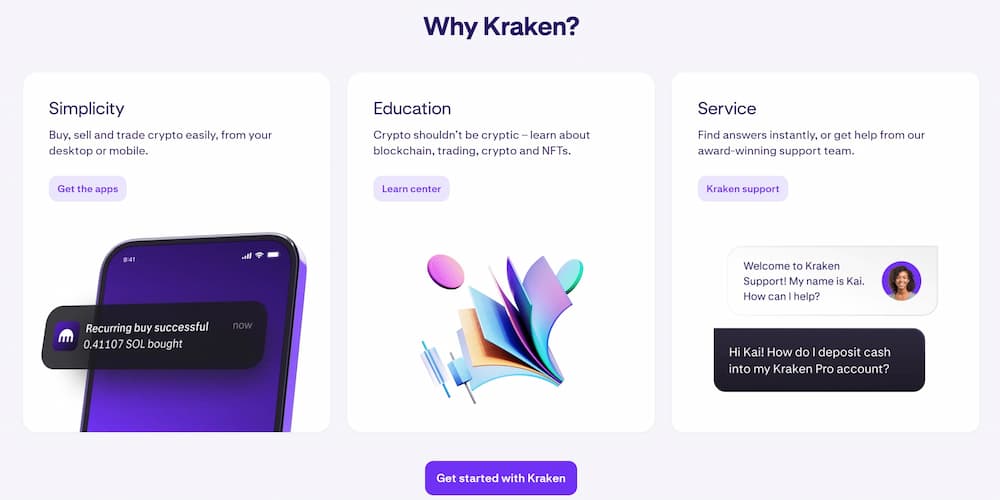
On mobile, performance is generally smooth. Order tickets load quickly, switching between markets is fast, and the app handled our test trades without lag or crashes under normal conditions. The navigation bar and tabbed structure make it easy to jump between spot trading, derivatives, and Earn without hunting through menus.
From a support perspective, Kraken offers a help center, email support, and live chat. In our testing, live chat response times were acceptable, though not instant during busier periods. User reviews on major review platforms often praise Kraken’s security and reliability but occasionally mention frustrations with account reviews, document checks, or slow resolution times when an issue requires manual intervention.
Overall, we would describe Kraken as reasonably easy to use once you understand the split between the basic interface and Kraken Pro. Beginners can start with simple buy/sell flows and later graduate to Pro for lower fees and more control, while experienced traders get the depth and tooling they expect from a serious exchange. The main trade-offs are a slightly steeper learning curve than ultra-simple apps and occasional friction around verification or customer support during high-demand periods.
How Does Kraken Compare to Other Crypto Exchanges?
Choosing a crypto exchange is easier when you can see the strengths and trade-offs side by side. In this section, we compare Kraken with four popular alternatives-Margex, Bybit, MEXC, and OKX-so you can quickly decide which platform best fits your trading style and risk tolerance.
Below is a compact comparison table covering who each exchange is best for, general asset coverage, core markets, and a few standout features that make each platform different rather than “better or worse” in absolute terms.
Kraken comes out as our top pick for security-focused users who value regulation, a long track record, and a well-balanced mix of spot, derivatives, and staking without ultra-aggressive leverage. Margex and Bybit can appeal more to traders who prioritize simple high-leverage futures and social/copy trading, while MEXC is hard to beat if your main goal is access to thousands of altcoins at extremely low fees.
OKX, on the other hand, is a strong choice for advanced users who want a single hub for both centralized trading and Web3 activities like DeFi and NFTs. Ultimately, Kraken is our preferred option for users who want a regulated, security-first environment with solid fees and tools, but one of the other exchanges might be a better fit if you are purely chasing maximum leverage, the absolute lowest fees, or the broadest possible altcoin lineup.
Kraken Exchange’s Reputation – What Are People Saying?
Before forming an overall view in this Kraken review, we combined our hands-on testing with feedback from major review platforms, app stores, specialist crypto review sites, and community forums. This helps check whether everyday users’ experiences line up with our own and whether any recurring issues show up across multiple sources.
Across third-party review aggregators, Kraken generally scores well. On prominent software review sites, it holds ratings just above 4/5 and is frequently described as a secure, professional-grade exchange with strong asset coverage and institutional-level features. Independent crypto review portals and data providers also tend to rank Kraken highly for security and customer service, reinforcing its image as a reliable, compliance-driven platform rather than a high-risk trading venue.
User reviews often highlight the same strengths. Many long-time traders praise Kraken Pro’s low fees versus certain competitors, fast execution, and the feeling that security is taken seriously. On consumer review sites and app stores, positive comments frequently mention a clean, intuitive interface and confidence in Kraken’s safeguards for both funds and data.
There are, however, some recurring criticisms you should be aware of. A noticeable subset of reviewers complain that instant-buy trades on the main app feel expensive compared to other platforms, especially for small orders, and some mobile users call Kraken “one of the most expensive” options if you rely solely on that feature. Others report frustration with strict KYC checks, temporary funding limits, or slow resolution when an account is flagged for additional review, even though the outcome is usually satisfactory once support responds.
Overall, the picture that emerges is consistent with our own Kraken crypto exchange review. Most users who value security, regulation, and a robust trading stack are satisfied or very satisfied, especially once they move to Kraken Pro and learn the interface. The main sources of dissatisfaction relate to higher fees on instant buys and occasional friction around verification or support, which are important trade-offs to factor in if you need ultra-cheap, ultra-fast account onboarding.
How to Use Kraken Crypto Exchange – A Step-By-Step Guide
In our experience, getting started with Kraken is fairly straightforward once you know the key steps. Below is a simple, practical walkthrough you can follow from creating your account to placing your first trade and exploring more advanced tools.
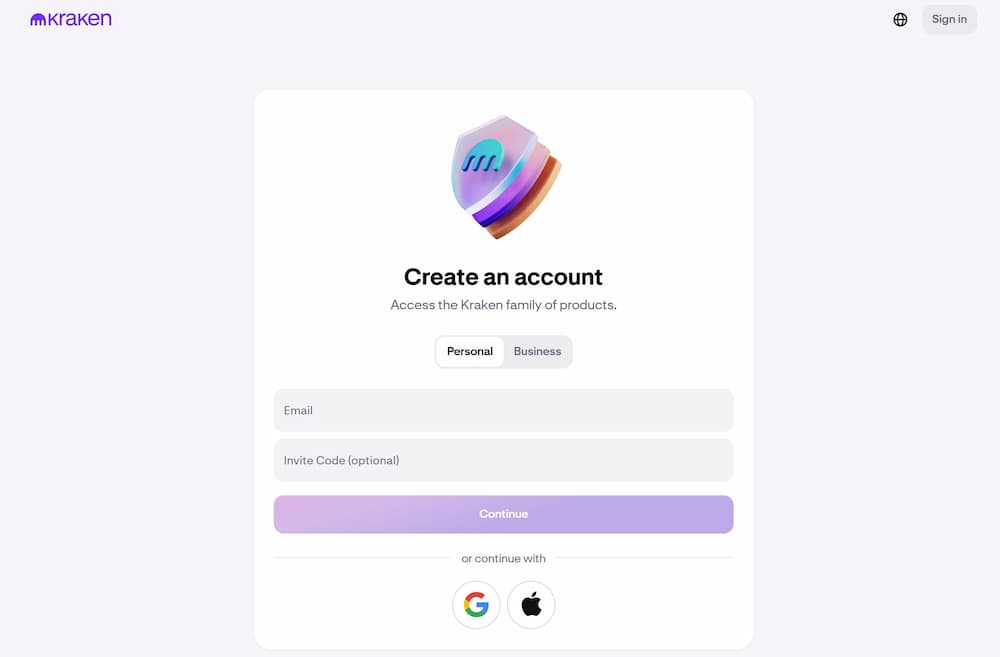
Step 1 – Sign Up and Verify Your Kraken Account
First, download the Kraken app or visit the official website and select the option to create a new account. You will be asked for your email address, a secure password, and your country of residence before confirming your email.
After that, you will need to complete identity verification. Depending on your region and limits, this usually involves providing your full name, date of birth, address, and photos of an ID document, plus sometimes a selfie.
Step 2 – Secure Your Account Settings
Once your account is created, our recommendation is to secure it before depositing any funds. Go into the security settings and enable two-factor authentication (2FA) for logins and, ideally, for trading and withdrawals as well.
You can also review options like device management, withdrawal address whitelisting, and any “lock” features that prevent quick changes to your security settings. In our experience, setting this up on day one significantly reduces the risk of future account issues.
Step 3 – Deposit Fiat or Crypto
Next, you will need to fund your account. If you are depositing fiat, go to the funding or wallet section, choose your currency, and select a supported payment method such as bank transfer or card. Most users prefer the buy crypto with credit card option for speed, though bank transfers typically offer lower fees.
For crypto deposits, generate a deposit address for the asset you want to send and carefully copy or scan it from your external wallet. In our experience, double-checking the network and address before sending is crucial, as blockchain transfers cannot be reversed.
Step 4 – Place Your First Trade
Once your funds arrive, you can place your first buy. On the main Kraken interface, use the simple Buy/Sell/Convert screen to select the coin you want, choose an amount in your local currency, and confirm the order.
If you want more control and lower fees, switch to Kraken Pro. There, you can pick a trading pair like BTC/USD or ETH/EUR, view the order book and chart, and place a market or limit order with custom size and price.
Step 5 – Manage Positions, Staking and Recurring Buys
After you buy crypto, you can track your holdings in the portfolio or balances tab. In our experience, it is helpful to review open orders and recent trades regularly so you always know what positions you hold and at what price.
If you want passive yield, you can explore the Earn or staking section to see which assets are eligible for rewards and what the estimated returns are. You can also set up recurring buys to automate small, regular purchases instead of manually placing every order.
Step 6 – Withdraw Funds Safely
When you are ready to move funds off the exchange, go back to the funding section and choose Withdraw. For fiat, select your bank or payment method, enter the amount, and confirm the payout.
For crypto, select the asset, add or choose a whitelisted withdrawal address, and confirm the transaction with 2FA. In our experience, using whitelists and small test withdrawals the first time you send to a new wallet is a smart way to reduce mistakes.
Kraken Crypto App Review – Our Verdict
Looking at everything we covered in this Kraken review, the exchange delivers a strong mix of security, asset coverage, and trading tools in a relatively polished package. The Kraken crypto app feels robust and professional, and Kraken Pro in particular stands out for its low fees, advanced order types, and reliable execution across spot, margin, and derivatives markets.
From a safety perspective, Kraken is one of the more reassuring centralized platforms. Its long operating history, strong security culture, and layered account protections make it a solid option if you are asking, “is Kraken legit?” or “is Kraken earn safe?”. For users who prioritize regulation and risk management over maximum leverage or speculative altcoin hunting, this is a major plus. On the downside, Kraken is not the cheapest option if you only ever use instant buys in the main app, and the overall ecosystem can feel a bit overwhelming for complete beginners at first glance. Verification and compliance checks can also introduce friction, particularly if your account is flagged for additional review. Those trade-offs are important to keep in mind if you want ultra-fast onboarding and the absolute lowest fees on tiny orders.
Overall, we consider Kraken a good crypto exchange for security-conscious users, long-term holders, and active traders who are willing to learn Kraken Pro and optimize their fee structure. It may not be the best match if your top priorities are very high leverage, thousands of micro-cap tokens, or totally anonymous trading, but it performs strongly as a regulated, all-round platform. As always, this Kraken crypto app review is not financial advice. Crypto assets are volatile and carry significant risk. You should do your own research (DYOR), consider your risk tolerance carefully, and never invest more than you can afford to lose.
FAQs
Is Kraken crypto app safe?
Kraken is widely regarded as one of the more security-focused centralized exchanges. It uses measures like cold storage for most client funds, strong internal security standards, and multiple account-level protections such as 2FA and withdrawal whitelists. That said, no exchange is completely risk-free. You still face counterparty risk and general crypto market risk, so it is important to enable all available security features, use strong unique passwords, and avoid keeping more funds on the platform than you are comfortable with.
Is Kraken crypto app available in the US?
Yes, Kraken is available to users in many parts of the United States and supports both spot trading and certain other products for eligible customers. However, availability can vary by state and by product type, and some features (especially advanced derivatives) are restricted for regulatory reasons. If you are a US resident, you should always check the latest information on supported regions and products during the sign-up process, as the list of eligible states and services can change over time.
Is Kraken better than Coinbase?
Whether Kraken is better than Coinbase depends on what you value most. Kraken tends to appeal to users who prioritize a strong security culture, competitive fees on its Pro platform, and a robust mix of spot, margin, and derivatives markets. Many active traders also like Kraken Pro’s fee structure and advanced tools. Coinbase, on the other hand, is often seen as slightly more beginner-friendly with a very simple interface and strong brand recognition, especially in the US, while traders in the UK have their own set of locally-optimized options including both platforms in our crypto exchange UK analysis. However, its fees can be higher in some cases. In practice, both are reputable exchanges, and the “better” choice comes down to your experience level, preferred features, and fee sensitivity.
Does Kraken have its own crypto wallet?
Kraken provides custodial wallets for every supported asset, meaning you receive deposit addresses and can store crypto on the platform under Kraken’s custody. For most users, these built-in wallets are enough for day-to-day trading and short- to medium-term holding. However, Kraken is not a non-custodial wallet where you control your own private keys. For long-term storage or larger balances, many users prefer to withdraw to an external crypto wallet they fully control, using Kraken primarily as a trading on-ramp and off-ramp.
How long do Kraken deposits and withdrawals take?
The timing depends on the asset and payment method. Crypto deposits usually appear after the required number of network confirmations, which can range from a few minutes to longer during busy periods. Fiat deposits via bank transfer can take anywhere from a few minutes to several business days, depending on the rail and your bank. Withdrawals follow a similar pattern: crypto withdrawals are typically processed quickly on Kraken’s side, then depend on blockchain congestion, while fiat withdrawals are subject to banking cut-off times and local clearing systems. In general, crypto movements are faster, but fiat payouts may require more patience, especially across borders.