Reason to trust

How Our News is Made
Strict editorial policy that focuses on accuracy, relevance, and impartiality
Ad discliamer
Morbi pretium leo et nisl aliquam mollis. Quisque arcu lorem, ultricies quis pellentesque nec, ullamcorper eu odio.
At some point, almost every crypto holder ends up standing at a coffee counter, phone in hand, wondering why their Bitcoin can’t just… pay for the coffee. Apple Pay is sitting right there on the lock screen. The crypto is sitting in a wallet. And somehow the two don’t talk to each other.
Most people solve this the expensive way. They send crypto to an exchange, sell it for fiat, wait for the funds to settle, then link a debit card that’s really just pointing at a cash balance. That’s a withdrawal fee, a spread, and often a taxable event, all so a $6 latte can get paid for. It works, but it’s clunky, and it undercuts a lot of the reason for holding crypto in the first place.
The better question isn’t whether crypto can touch Apple Pay. It can. The real question is which method gets it there with the least friction, the fewest fees, and the least amount of crypto sold outright. This guide breaks down the actual mechanics of crypto Apple Pay in 2026, compares the two main approaches, and walks through provisioning a crypto-funded virtual card into Apple Wallet step by step.
How Crypto Actually Gets Into Apple Pay
Apple Pay itself doesn’t hold or convert cryptocurrency. It’s a payment interface, not a wallet in the crypto sense. What it does is store card credentials (a Visa or Mastercard number, expiry, and a device-specific token) and pass those to a merchant terminal at checkout. Apple Pay has no idea whether the money behind that card came from a paycheck or a Bitcoin sale.
So “spending crypto with Apple Pay” always involves a card sitting between the crypto and the merchant. There are two ways that card gets funded:
- Exchange debit cards. A crypto exchange issues a Visa or Mastercard tied to your exchange balance. You add that card to Apple Wallet, and each purchase either auto-sells a bit of crypto or draws from a fiat balance you’ve already converted.
- Crypto-funded virtual cards. A dedicated card provider lets you load crypto directly from a wallet or exchange, convert it to a card balance at that moment, and spend from the resulting balance through Apple Pay.
Both routes end with a Visa or Mastercard number living in Apple Wallet. The differences show up in supported coins, fees, KYC requirements, and how fast the crypto turns into spendable balance.
It’s worth being clear about one thing up front: there’s no way to buy Bitcoin directly with Apple Pay as a payment method. Apple Pay can be used to fund a crypto purchase on an exchange (if you’ve already linked a bank-issued debit card to it), but that’s buying crypto using Apple Pay, not spending crypto through Apple Pay. These are two different flows, and it’s easy to mix them up.
Route One: Exchange Debit Cards
This is the path most people already know. Coinbase, Binance, and a handful of other large exchanges issue debit cards linked to your exchange account. Add the card to Apple Wallet, and Apple Pay becomes available at checkout wherever the card network is accepted.
The tradeoff is coin selection. These cards typically support whatever the exchange lists as spendable, usually a short list of major coins, and conversion happens according to the exchange’s own rate and fee schedule at the moment of purchase. If you’re holding a token that isn’t on that shortlist, you’re stuck selling it into a supported coin first, which is another step, another spread, and often another taxable event.
KYC is also non-negotiable here. Opening an exchange account means full identity verification, and that’s before a card even gets issued. For most users this is a reasonable tradeoff for using one of the largest platforms in the industry, but it’s worth knowing it’s not optional.
Route Two: Crypto Virtual Cards
The second path is a purpose-built crypto virtual card: a card issued specifically to hold a crypto-funded balance, not tied to a traditional bank account or brokerage. You send crypto from any wallet or exchange to a deposit address, it converts to a card balance, and the card gets added to Apple Wallet like any other.
The appeal for a Bitcoin-native audience is coin coverage. Instead of three or four supported assets, a multi-chain crypto virtual card can accept 100+ cryptocurrencies across dozens of networks, meaning altcoins, stablecoins, and less mainstream chains all convert into spendable balance without an extra swap step first. Spend USDT Apple Pay style, or fund from a Litecoin or Solana wallet directly, without first routing everything through Bitcoin or Ethereum.
This is also the more realistic answer for anyone searching for a crypto card no bank account required. These cards aren’t tied to a checking account; they’re funded purely from crypto, which matters for digital nomads, freelancers paid in crypto, or anyone who simply doesn’t want their spending routed through a traditional bank rail.
Exchange Card vs. Crypto Virtual Card: Quick Comparison
| Factor | Exchange Debit Card | Crypto Virtual Card |
| Coin support | Usually 3-10 major coins | Often 100+ coins across many networks |
| Funding speed | Depends on exchange withdrawal/deposit times | Usually minutes once confirmed on-chain |
| Bank account needed | Often yes, for fiat rails | No, funded directly from crypto |
| Fee structure | Spread + exchange fees, varies by platform | Top-up fee, often with volume discounts |
| KYC | Full exchange KYC required | Varies by provider, usually required for card issuance |
Neither option is universally “better.” An exchange card makes sense for someone who already lives inside one platform and mostly holds the coins that platform supports. A crypto virtual card makes more sense for someone juggling multiple wallets, several chains, or coins that exchanges don’t bother listing as spendable.
Step by Step: Loading a Crypto Virtual Card Into Apple Wallet
The general provisioning flow looks similar across most crypto Apple Pay card providers, though details vary slightly by platform.
- Register and verify. Sign up with the provider and complete whatever identity verification is required. No-KYC crypto cards that fully work with Apple Pay are very limited in 2026, so expect at least a basic verification step for most legitimate providers.
- Order the virtual card. Most providers issue the card in a matter of minutes rather than days, since there’s no physical card to print and mail unless one is specifically requested.
- Fund the card. Send crypto from an external wallet or exchange to the unique deposit address generated for that network. Deposit addresses are typically per-network, so a Solana deposit and an Ethereum deposit use different addresses even for the same account.
- Let it convert. The crypto converts to a card balance automatically, at the point of loading, at whatever the platform’s crypto to Apple Pay conversion rate and top-up fee happen to be that day.
- Add the card to Apple Wallet. Open the Wallet app, tap the plus icon, and enter the card details either manually or by scanning them from the provider’s app. Apple verifies the card and it appears ready to use.
- Spend. From here, it behaves like any other card in Apple Wallet, in-store via NFC, online at checkout, or inside apps that accept Apple Pay.
One practical detail: when a purchase is made in a retail store using Apple Pay, the receipt shows only the last four digits of a device-specific account number rather than the real card number. That’s an Apple Pay security feature that applies regardless of whether the card behind it is bank-funded or crypto-funded.
Readers who want a deeper walkthrough of this exact process, including screenshots of the Wallet provisioning screen, can check WaldenPay’s guide on spending Bitcoin and crypto through Apple Pay.
What the Fees Actually Look Like
This is the part most thin listicles skip entirely, and it’s the part that actually matters for anyone comparing providers.
Top-up fees on crypto virtual cards commonly start around 5% and step down as spending volume increases over a rolling 30-day window. A card that charges 5% on the first $2,000 of monthly spend might drop to 4.75% past $2,000, then keep sliding down through tiers, potentially reaching 3% for accounts spending $100,000 or more in a month. Higher-volume users sometimes get individually negotiated pricing above that.
The mechanics matter more than the headline number. Fee discounts that apply automatically, based on trailing spend, without paperwork or a support ticket, are worth more in practice than a lower advertised rate that requires jumping through hoops to unlock. WaldenPay’s pricing structure is a useful example of how this tiered approach works in practice, with the current fee and progress to the next tier visible directly in the dashboard.
On top of the top-up fee, most crypto virtual cards charge a one-time issuance fee, often in the $10 range, and nothing ongoing beyond that for balance checks or basic account use. That’s a meaningfully different cost structure than exchange debit cards, where costs are often buried inside spreads that aren’t disclosed clearly upfront.
Where a Multi-Chain Card Actually Wins
For someone who holds only Bitcoin and Ethereum and already has a Coinbase account, an exchange debit card is probably the path of least resistance.
But for holders sitting on Solana, Tron, Litecoin, or smaller-cap tokens, or anyone who wants to fund a card straight from a hardware wallet without routing through an exchange first, the multi-chain crypto virtual card is doing something the exchange card structurally can’t: accepting the asset as-is, without a forced swap into whatever three coins the exchange decided to support.
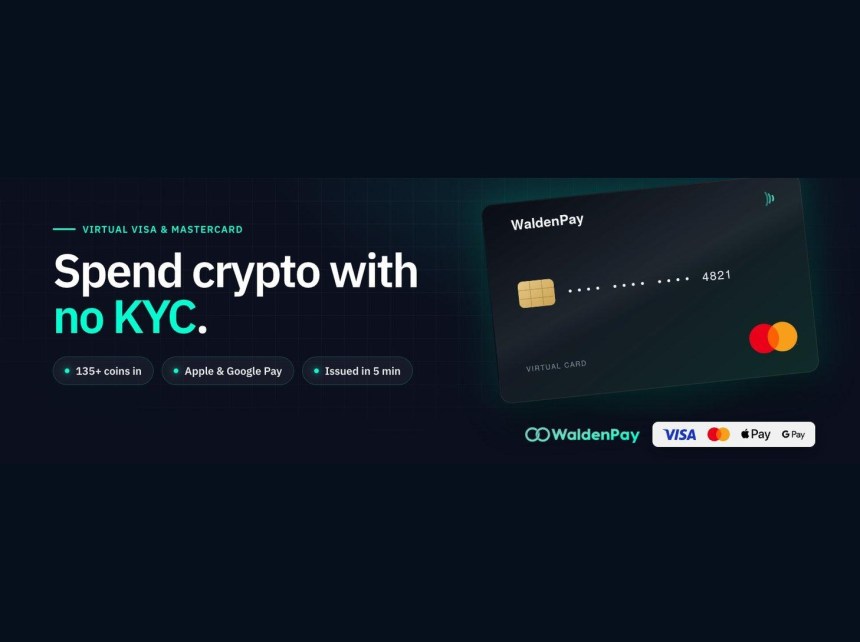
WaldenPay’s card, for instance, accepts 135+ cryptocurrencies across 35+ networks, everything converting to card balance at the moment it’s loaded, and the resulting card works in Apple Wallet and Google Wallet the same way any other virtual card does. That range matters most for people whose portfolios don’t fit neatly into “BTC, ETH, and a stablecoin.”
It’s also worth knowing that crypto virtual cards aren’t just about card spending. Some providers, WaldenPay included, let users generate payment requests that anyone can pay in crypto without needing an account themselves, useful for freelancers invoicing clients abroad or sellers who want to display a QR code at checkout instead of a bank routing number. That’s a separate use case from Apple Pay specifically, but it’s part of the same broader shift toward crypto behaving like ordinary spendable money rather than an asset that has to be cashed out first.
A Few Things Worth Remembering
Crypto Apple Pay cards are genuinely useful in 2026, but they aren’t magic and they aren’t anonymous. Card issuance and use are subject to AML and regulatory requirements, and providers verify identity as part of issuing a card, even when the funding source is entirely on-chain. Anyone framing this as an untraceable spending method is misunderstanding how these products actually work.
And Apple Pay itself only works on Apple hardware. There’s no web or Android version of the Wallet interface, so this entire approach assumes an iPhone or Apple Watch in the picture.
None of that changes the core shift, though. A crypto card no longer means “sell first, spend later.” With the right provider, it means loading a coin directly, watching it convert to balance in minutes, and tapping a phone at checkout like anyone else. For a Bitcoin holder who’s tired of eating withdrawal fees just to buy coffee, that’s the actual upgrade worth paying attention to in 2026.